
How to Search Allegheny County Traffic Court Records
The main public tool is the Pennsylvania Unified Judicial System case search. It holds dockets for traffic and summary citations from Pittsburgh Municipal Court and the magisterial district courts. The search is free, and most dockets open without an account. You can look up by citation number, participant name, docket number, or date filed. Setting the county to Allegheny keeps statewide false matches out of the results.
Before you start, gather what you have. A citation number returns one case fast. A full name works when the ticket is lost. To pay an eligible ticket, the courts use a separate online payment tool rather than the case search itself.
The UJS portal links a help system that explains where the payment tool lives and how to reach it from the main page.
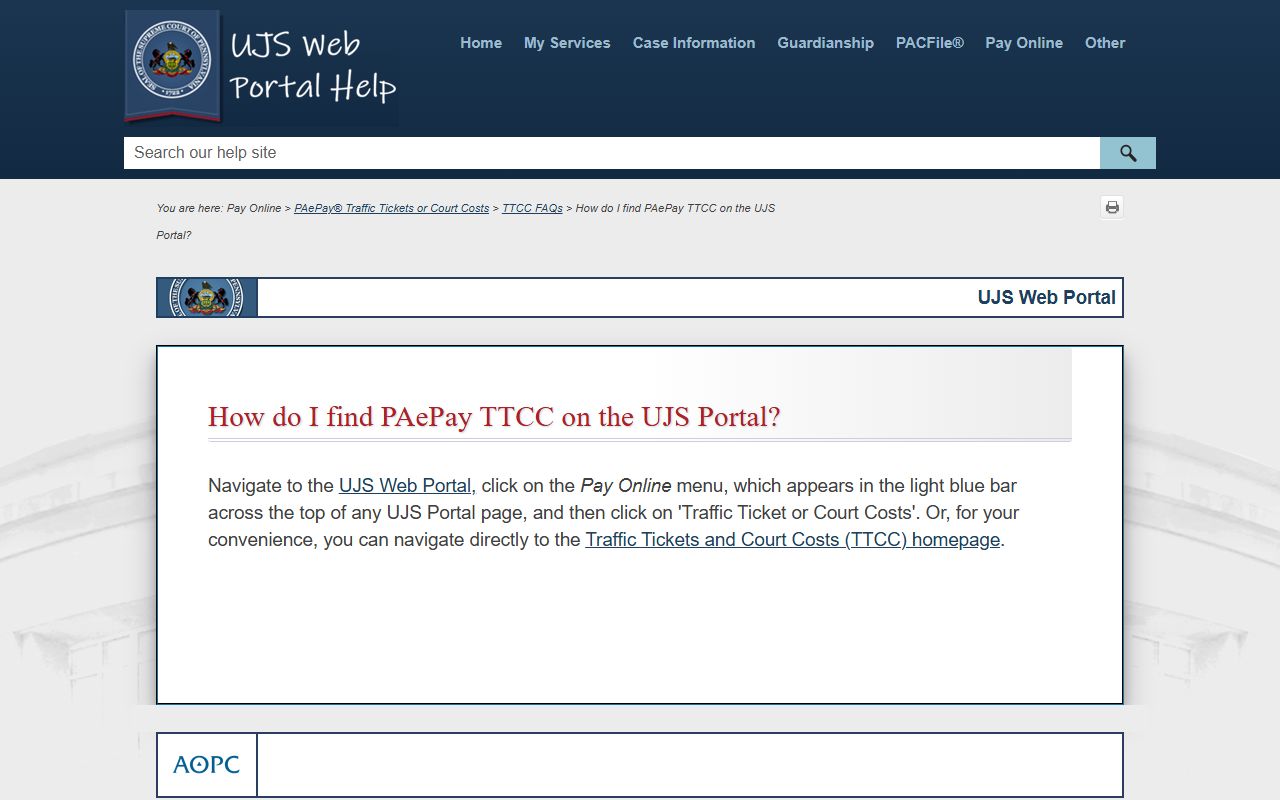
That UJS PAePay help page shows how to find the Pay Online option and reach the Traffic Ticket or Court Costs screen. Follow these steps for a citation search.
- Open the Pennsylvania UJS case search and choose a search type.
- Enter the citation number, or use the driver's name when the number is unknown.
- Set the county to Allegheny so other counties drop out of the results.
- Review the court, docket number, charge, court dates, and disposition.
- To pay an eligible ticket, use PAePay; to contest or appeal, follow the steps below.
Which Courts Handle Traffic Cases in Allegheny County
Two court layers handle most traffic cases. Inside Pittsburgh, traffic offenses go to Pittsburgh Municipal Court. The one big exception is parking: tickets issued by agents of the Pittsburgh Parking Authority are not part of the municipal court's listed traffic jurisdiction, so they are not court traffic dockets. Outside the city, traffic cases are generally heard by the local Magisterial District Court that serves the town or township.
Pittsburgh Municipal Court does more than traffic. It also handles non-traffic summary offenses inside the city, City of Pittsburgh ordinance violations, private criminal complaints, preliminary misdemeanor and felony hearings inside Pittsburgh, and preliminary homicide hearings for the whole county. The table shows the main courts and what they handle.
| Court | Traffic Cases Handled | Address |
|---|---|---|
| Pittsburgh Municipal Court | Traffic offenses inside Pittsburgh, excluding Parking Authority tickets; non-traffic summary and ordinance matters. | 660 First Avenue, Pittsburgh, PA 15219 |
| Magisterial District Courts (46 offices) | Summary traffic and non-traffic cases outside Pittsburgh, by district served. | Varies by district; see the MDJ directory. |
| Court of Common Pleas, Criminal Division | Summary appeals from traffic and other summary convictions. | Allegheny County Courthouse, Room 114, Pittsburgh, PA 15219 |
For the office that serves a given town or Pittsburgh ward, the Fifth Judicial District keeps an official directory of all 46 magisterial district courts. The trial court above these is profiled on the Court of Common Pleas page.
Types of Traffic Cases on Record
Traffic records are not all the same. Some are minor summary tickets. Others carry points, license consequences, or a route into criminal court. The category shapes how the case is heard and what the record shows.
- Moving violations - speeding, stop-sign, and right-of-way charges that can add points to a driver record.
- Non-moving and equipment - registration, inspection, and equipment citations that usually carry a fine.
- Parking - Pittsburgh Parking Authority tickets are handled outside the municipal court's traffic docket, so they are not court traffic cases.
- Commercial vehicle and CDL - violations that can be reported to the state and affect commercial driving privileges.
- DUI and serious charges - cases that route to criminal court rather than a summary traffic docket.
Failure to appear or failure to pay can change a case. UJS dockets may show a warrant entry or a payment-plan entry when a defendant misses court or does not satisfy fines and costs.
What Allegheny County Traffic Court Records Show
A traffic docket is the public index of a citation case. It names the court and the docket number, lists the citation and the charge, logs court dates and the disposition, and tracks the money owed. Criminal-style detail like statute, grade, and OTN can appear on summary records. The table below shows the fields you will read on a typical traffic docket.
| Field | What It Shows |
|---|---|
| Citation Number | The number assigned to the traffic or summary citation. |
| Docket Number | The court case ID; MJ marks a magisterial district court, with municipal prefixes for Pittsburgh. |
| Court Office | Pittsburgh Municipal Court or the named Magisterial District Court. |
| Charge / Statute | The violation, section number, offense description, and grade. |
| Court Date | Filing date, violation date, hearing notices, and the disposition date. |
| Disposition | Plea or result, such as guilty, not guilty, withdrawn, dismissed, or adjudicated. |
| Fine and Costs | Fines, costs, restitution where it applies, payment plan, and balance. |
The docket also logs the issuing police department or affiant, plus warrant and appeal entries. For broader case-record reading, see Allegheny County court records.
Searching by Citation Number vs by Name
The two main ways to find a traffic case behave differently. A citation number points to one case, so it is the cleanest search when you have the ticket in hand. A name search is the fallback when the ticket is gone, but a common name can return many people, which is why the county filter and a date range help. The table lists the fields most people use on the citation lookup.
| Search Field | Type | Required | Notes / Format |
|---|---|---|---|
| Search By | Tab / radio | Yes | Citation Number, Participant Name, Docket Number, Date Filed, Complaint Number. |
| Citation Number | Text | Conditional | Best field for a single ticket or citation. |
| Participant Name | Text | Conditional | Use when the citation number is unknown. |
| County | Dropdown | Strongly advised | Select Allegheny to cut statewide false matches. |
| Date Filed Start / End | Date | Optional | Narrows a name search by date range. |
Note: a citation number format error returns no match, so check the digits against the paper ticket before assuming a case does not exist.
Paying or Contesting an Allegheny County Traffic Ticket
How you respond to a ticket depends on whether you plan to pay it or fight it. Paying online may count as a plea or admission for some citation types, so read the ticket and court instructions first. Contesting before conviction follows the steps printed on the citation or given by the issuing court. After a conviction, the route shifts to a summary appeal with a firm deadline.
The steps below cover the common paths for an Allegheny County traffic ticket.
- Search UJS by citation number or name to confirm the case and its status.
- If the ticket is payable, use PAePay Traffic Ticket or Court Costs to pay online.
- To contest before conviction, follow the instructions on the citation or from the issuing court.
- If convicted and appealing a summary traffic decision, file a summary appeal within 30 calendar days at the DCR Criminal Division, Room 114.
- If the matter is a PennDOT license-suspension or driver-licensing appeal, file with the Civil/Family Division instead.
A summary appeal is filed in person within 30 calendar days of the decision at the Department of Court Records, Criminal Division, Room 114, Allegheny County Courthouse, Pittsburgh, PA 15219, phone 412-350-5329. The fee is $94, non-refundable, paid by money order or cash; no personal checks. Bring the magisterial judge's name and address, the officer's name and address, the citation date and number, the conviction date, and the violation and section number. People who cannot pay may file an In Forma Pauperis petition in Room 114 to request a fee waiver.
Public Access Laws for Traffic Court Records
Traffic court records follow the same access framework as other court cases. The Case Records Public Access Policy treats case records as public, then shields certain confidential data and limits remote access for some case types. General agency records follow the Right-to-Know Law, but a traffic docket is a court record, not an agency record.
Key Statutes:
204 Pa. Code Section 213.81 - the Case Records Public Access Policy that opens case records while protecting confidential information.
65 P.S. Sections 67.101-67.3104 - the Right-to-Know Law for general government records, separate from court case files.
A public traffic docket can show the charge and disposition while still hiding sensitive identifiers. Driver's license numbers, Social Security numbers, and similar data are restricted on the public record. For more on the broader public-records split, see Allegheny County public records.
Court Traffic Records vs State Driver Records
This is the distinction that trips people up most. The court traffic record is the case file: the citation, the docket, the charge, the plea, the fines, and the result. The state driver record is a separate file held by PennDOT that shows a person's driving history, violations, departmental actions, and accidents over a chosen period. The same traffic event can appear on both, but they live in different systems and follow different rules.
The PennDOT public-records FAQ explains what a driver record is and how it differs from a court case.
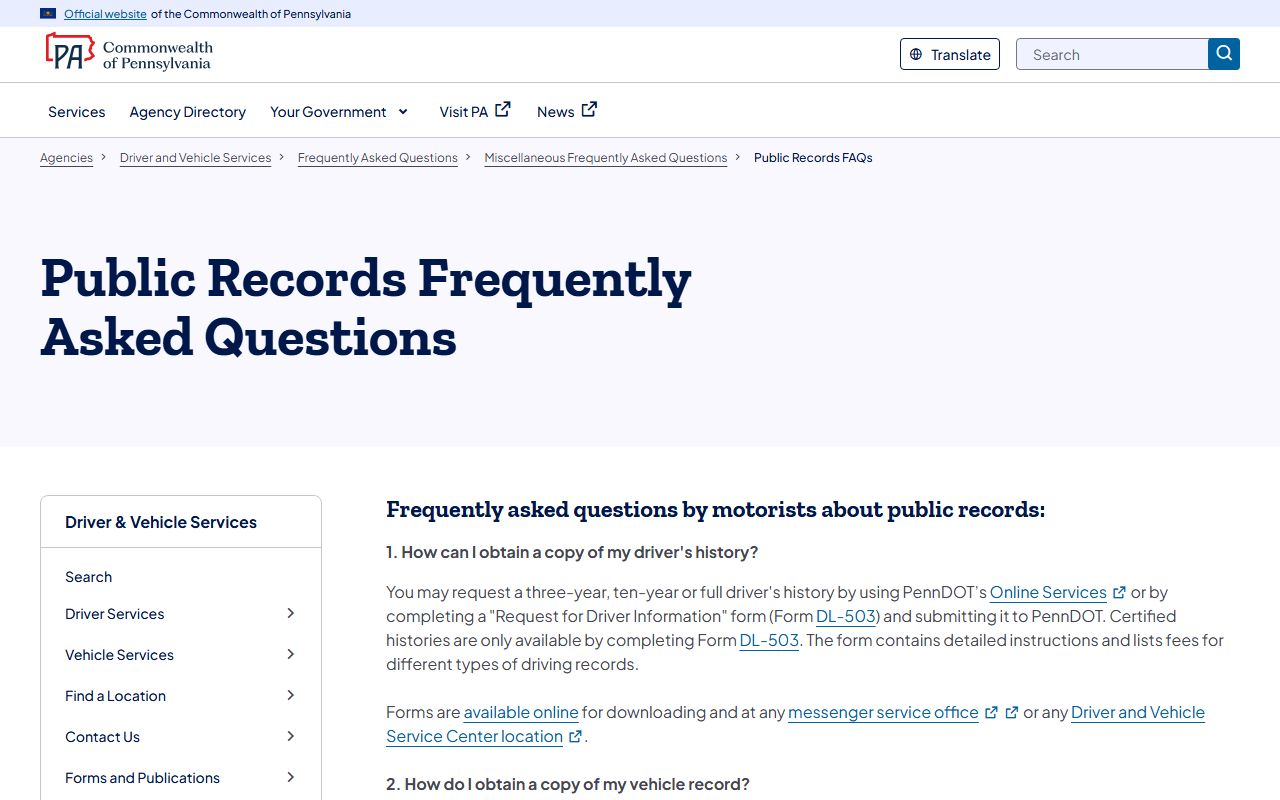
The PennDOT public records FAQ describes the driver-record request options and notes that certified histories come only by form. The comparison table sums up the split.
| Record Type | Source | What It Shows | How to Access |
|---|---|---|---|
| Court Traffic Record | Pittsburgh Municipal Court or a Magisterial District Court, via UJS | Citation, docket, charge, court dates, plea, disposition, fines, and warrants | Free UJS case search; copies from the court office |
| State Driver Record | PennDOT Bureau of Driver Licensing | Driving history, violations, points, departmental actions, and accidents | PennDOT online portal or the DL-503 form; certified copies by form only |
One more rule sets the two apart. A court traffic docket is public unless sealed, but a PennDOT driver record is controlled by driver-record law. The online portal requires a certification that you are pulling your own record or have written authorization from the record holder, and a false statement is punishable under 18 Pa.C.S. Section 4904(b).
Requesting a PennDOT Driver Record
If you need points, license status, or a driving history for employment, the request goes to PennDOT, not the court. You can pull a three-year, ten-year, or full history online or by the DL-503 form, but certified records come only by DL-503. The online process needs your license number, date of birth, last four digits of your Social Security number, and a credit card.
PennDOT runs an online portal for individual driver records.
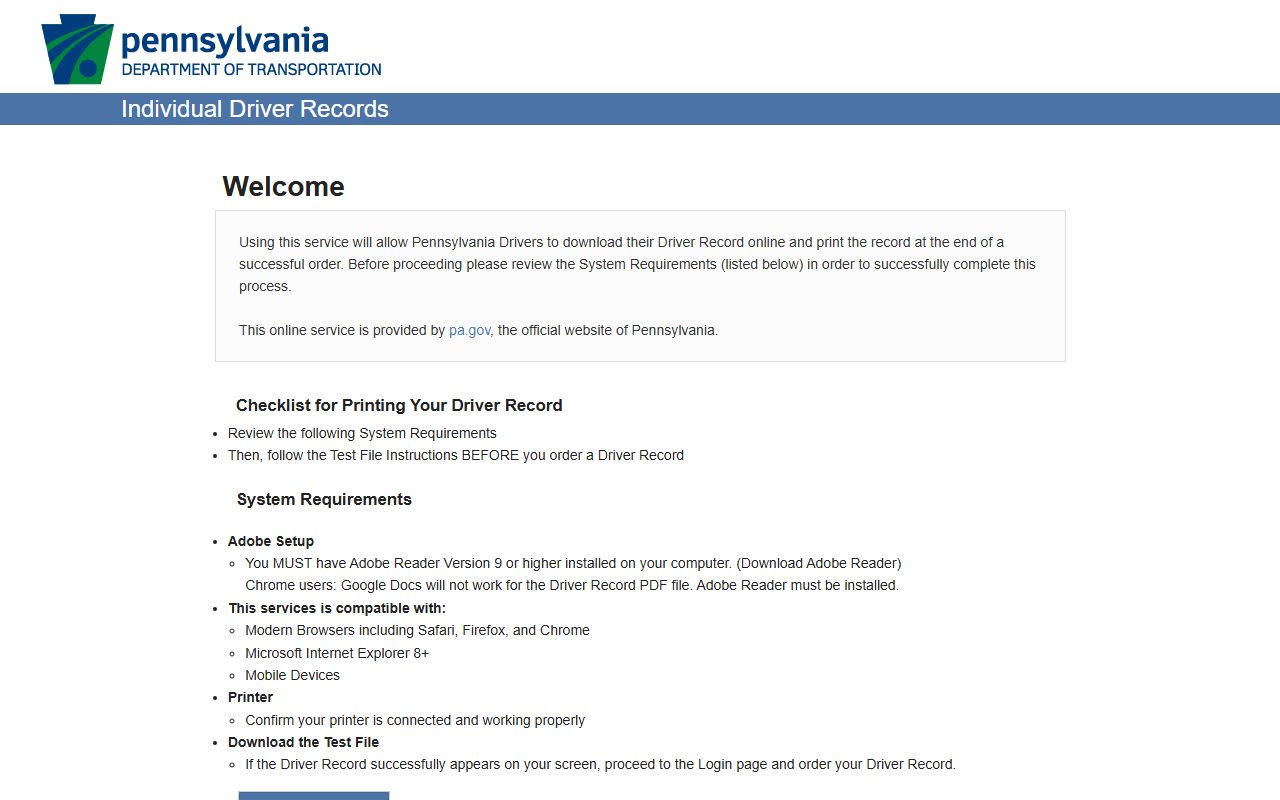
The PennDOT Individual Driver Records portal handles online history requests after the required certification. The DL-503 fee schedule below shows the cost for each record type.
| Item | Amount |
|---|---|
| Basic Information | $15 |
| 3-Year Driver Record | $15 |
| 10-Year Driver Record (employment only) | $15 |
| Full History | $15 |
| Certified Driver Record | $47 |
| Copy of Document from File | $15 |
| Certified Copy of Document from File | $47 |
The DL-503 form says not to send cash. A physical address is required for the end user, and a PO Box is not accepted as the only address.
CDL and Commercial Driver Records
Commercial drivers face tighter rules. A ten-year driver record on the DL-503 is marked for employment purposes only, and commercial employers can apply for PennDOT driver-record business accounts to view histories online for a fee. Convictions that look minor in court can still be reported to PennDOT and affect commercial driving privileges.
So a CDL holder should not treat a small traffic case as routine. The court fine may be modest while the license consequence is not. PennDOT guidance and a traffic attorney are the right sources for CDL-specific outcomes, because the court docket alone does not show the licensing effect.
DUI and DWI Cases
DUI is not a summary traffic ticket. In Pennsylvania, a DUI charge routes to criminal court rather than a summary traffic docket, so it follows the criminal case process with arraignment, hearings, and possible probation or diversion. Driving under suspension, accident cases, and other serious charges can also move beyond a simple citation.
For full Allegheny County DUI and DWI case information, see Allegheny County criminal records.
Diversion, ARD, and Defensive Driving
Pennsylvania uses diversion programs that can change how a case ends. Accelerated Rehabilitative Disposition, or ARD, is a diversion program for eligible cases that can lead to a dismissal and later expungement when the program is completed. It is more common in DUI and certain criminal matters than in plain summary tickets, but it shows how a disposition can differ from a straight conviction.
Some drivers also pursue traffic-safety or defensive-driving options where a court or program allows them. Eligibility, cost, and the effect on a record vary by case and court, so confirm any program with the court handling the citation before assuming it applies.
Sealing or Expunging Traffic Records
Some traffic and summary records can be cleared, but the path depends on the outcome. Pennsylvania separates expungement, which removes records, from limited access, which seals eligible records from public view. Both run through statute and a court order.
Under 18 Pa.C.S. Chapter 91, expungement and limited access apply to specific categories, such as cases with no disposition after 18 months with certification, court-ordered nonconviction data, and certain qualifying convictions. Pennsylvania's Clean Slate framework also provides automatic limited access for some records once statutory conditions are met. A summary conviction that meets the rules may qualify, but eligibility is fact-specific.
Fees for Traffic Record Copies
Two fee worlds apply, matching the two record types. Court copies of a traffic case come from the court office and follow the county cost schedules. State driver-record copies follow the PennDOT DL-503 schedule. The summary appeal fee is a separate, fixed charge. The table lists the common items.
| Item | Amount |
|---|---|
| Summary appeal filing fee | $94, money order or cash |
| PennDOT Basic / 3-Year / 10-Year / Full History | $15 each |
| PennDOT Certified Driver Record | $47 |
| DCR records retention fee per filing (from June 1, 2026) | $7.00 |
Confirm any fee on the live county or PennDOT page before you pay. The county records retention fee rises from $3.50 to $7.00 on June 1, 2026, which is one reason to check the current schedule. For office contacts and copy steps, see the Department of Court Records page.